
AI Articles Built From Live Research, Not Guesswork
Pro Article is a pipeline, not a single prompt. It searches the web, reads the best pages, plans an outline and writes section by section in your brand voice. It places real images, tweets and videos, then checks the result and scores it.
- Live web research with every source listed
- Real images with credit, tweets and YouTube videos placed where they fit
- Five automatic quality checks and a score
- Opens in a full editor, ready for WordPress
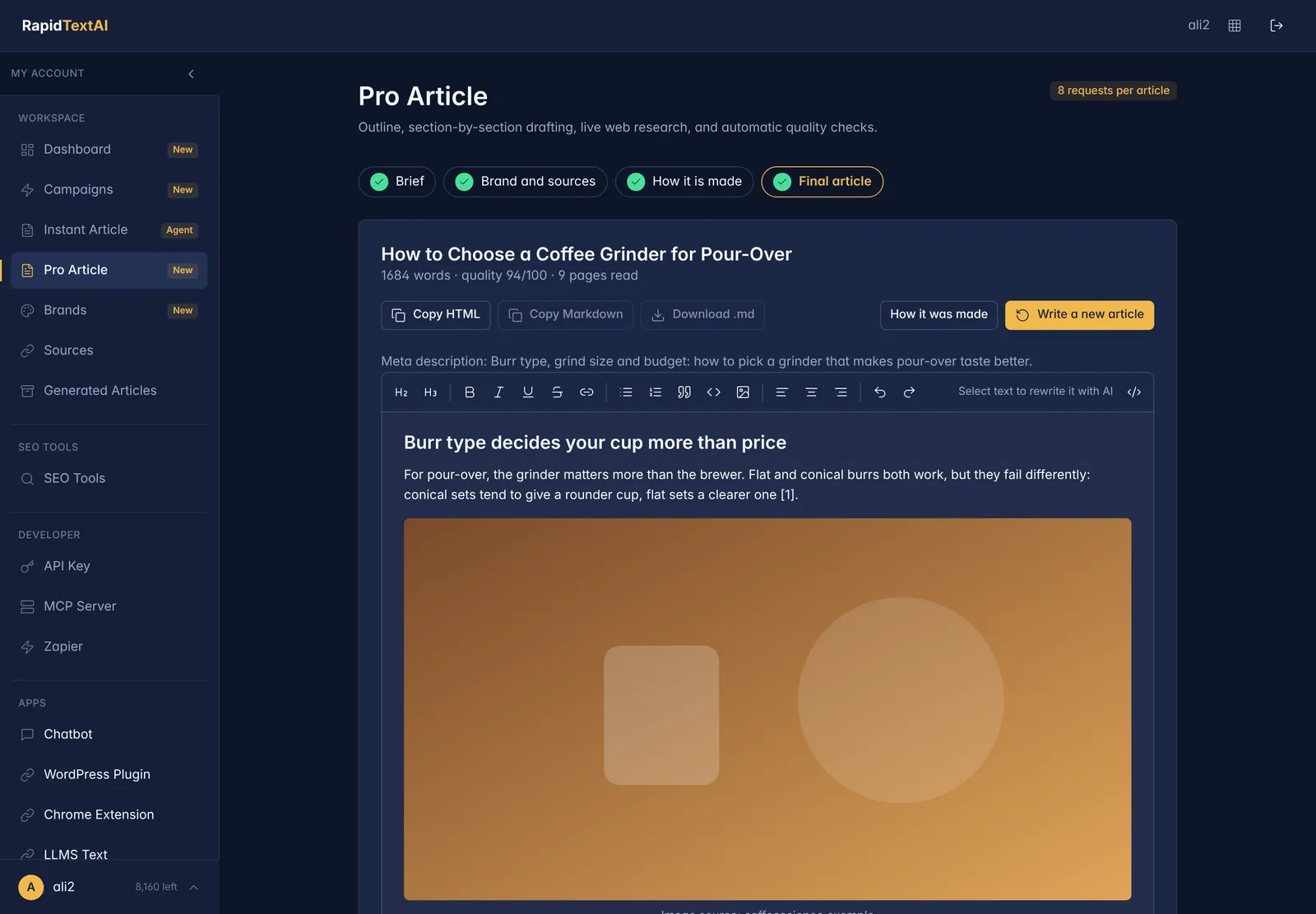
Sourced article out.
Real screen from the app, shown with sample data.
What Makes Pro Article Different?
Most AI writers answer from memory. That is fast, but it is also how invented statistics and dead links end up in published articles. Pro Article does the research first. It searches for your topic, reads the pages it finds and works from what they say.
It then behaves like an editorial process. It plans an outline, writes each section with the research in front of it, tightens the draft, adds the FAQ, tags and meta description, finds supporting media, and runs a final set of checks. You can watch each step in a live timeline.
The finished article opens in an editor, where you can change anything, ask the AI to rewrite a selection and copy the HTML into your CMS.
What Happens in the Pipeline
Research the web
Searches for your topic and reads the best pages, so the draft is grounded in current sources instead of memory.
Plan the outline
A heading structure built from the research. Start from a competitor gap brief to build it around what the top pages miss.
Write section by section
Each section is drafted with the relevant research and your brand voice, then the whole piece is edited for flow.
Images with credit
Relevant images placed after the opening, with alt text and a source credit. Choose any licence or only freely usable images.
Tweets and videos
Real tweets found from search and YouTube videos that match the topic, embedded where they fit.
Five quality checks
Evidence, quotes, links, length and voice are checked automatically and combined into a score.
How to Write a Pro Article
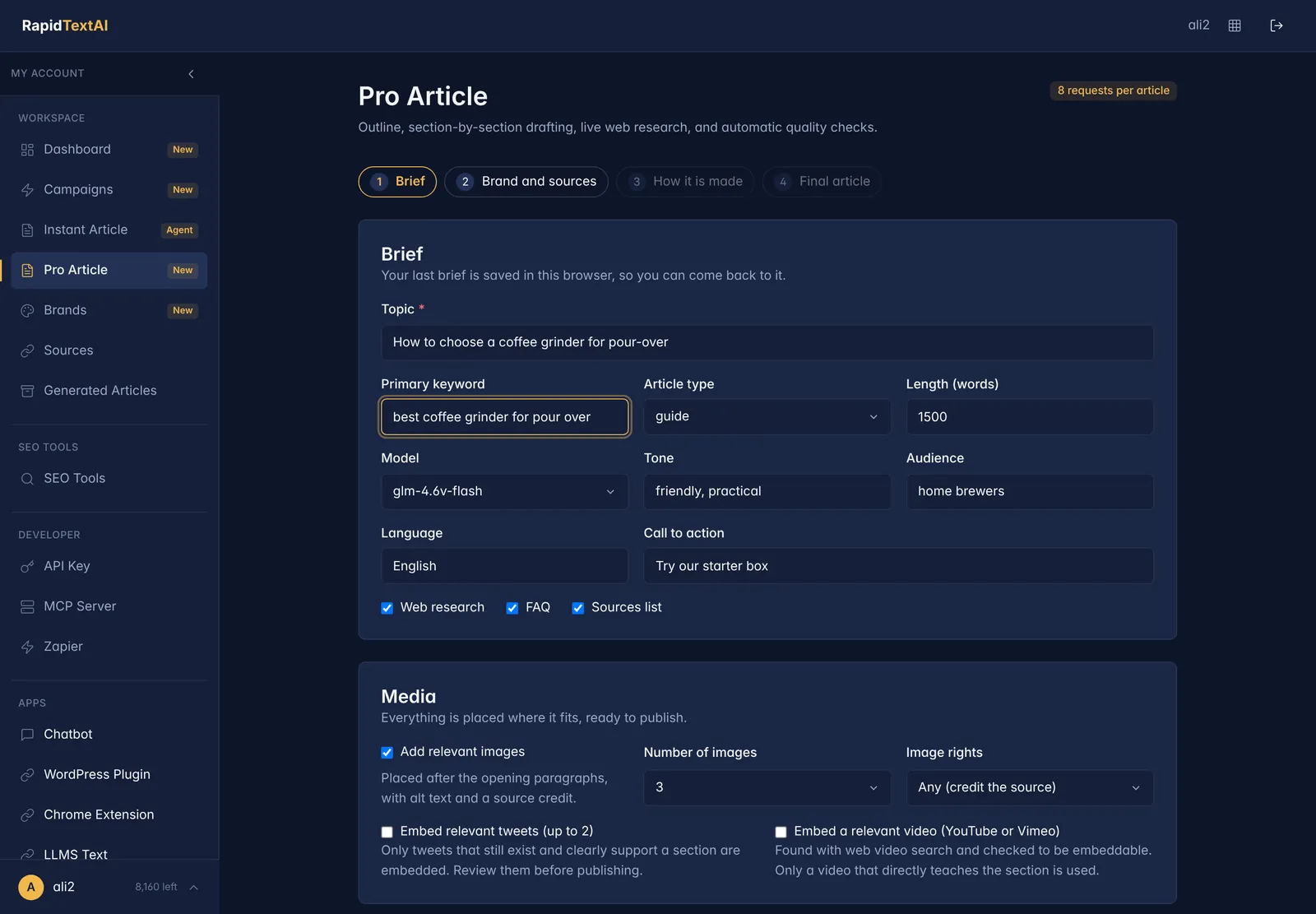
The wizard has four steps and remembers your last brief in the browser.
Brief
Enter the topic and keyword, choose article type, length, model and tone, and decide whether to add images, tweets, videos and an FAQ.
Brand and sources
Pick a brand, add your own sources as reference material and list internal links the article may use.
Watch it work
Follow the pipeline live: research, outline, drafting, editing, media and checks.
Edit and publish
Review the article in the editor, copy the HTML or send it on through your publishing setup.
See It in the App
Screens from the live product. The data is a fictional coffee brand, so nothing here belongs to a real customer.
Good For
Blog and SEO teams
Produce well-sourced posts that need an edit, not a rewrite.
Businesses
Write about your products in your voice, with facts that are true.
Agencies
Run several brands with their own voice, sources and banned words.
Limits Worth Knowing
- Quality depends on what the web has on your topic. Very new or very niche subjects may have thin sources.
- Images and videos come from search results. Check licences and relevance before you publish.
- Pro Article takes longer than Instant Article because it reads sources. Use Instant Article when you want a fast draft.
What It Costs
Each Pro Article costs a number of requests from your plan that depends on its settings. The cost is shown before you start, and your dashboard shows what is left. You can start on the free plan with no credit card.
Pro Article FAQ
It is RapidTextAI research-backed article pipeline. It researches the web, plans an outline, writes section by section, adds images, tweets and videos, and runs quality checks.
Instant Article streams a draft in seconds from the model. Pro Article reads sources first and adds media and checks, so it takes longer and gives a more reliable draft.
Yes. The sources it used are listed with the article, and its links come from its research results.
Yes. Pick a brand in the wizard and the tone, audience, facts and banned words apply to the draft.
Copy the HTML from the editor, use the WordPress plugin, or send it through Zapier to thousands of apps.
Keep Exploring
Ready for articles that
show their sources?
Get Started Now


